IT'S ALREADY VIRAL! | LIMITED STOCK
Smart screen neckband headphones
📥 User manual
🎶 Premium Sound Experience
🤖 Instant AI Access
🎶Lag-free audio (30ms)
✅️Try it risk-free: 90-day guarantee
Couldn't load pickup availability
Managing features without having to take your phone out of your pocket is wonderful.
Andreina R.
★★★★★I mainly use them to listen to audiobooks, but they also work perfectly for answering calls.
Vanessa W.
★★★★★This is my second pair of headphones from PodScreen. The customer service is amazing.
Antonio T.
★★★★★
What does your Pod Screen Pro package include?
1 x PodScreen Pro Smart Headphones (Advanced P32 Model): The main device with a neckband and integrated color screen controller.
1 x USB Type-C Fast Charging Cable: Specifically designed to safely optimize the high-density battery of your headphones.
Ergonomic Silicone Eartips: In different sizes to ensure a comfortable, secure fit and perfect acoustic isolation.
1 x Premium User Manual (PDF): With a step-by-step guide and a command chart fully adapted to Spanish so you can effortlessly master all its functions.
90-day money-back guarantee
A phenomenal item that exceeds all expectations from day one. Enjoy them thoroughly and with zero risk thanks to our 90-day guarantee.
If you are not completely satisfied, you can request a return under the conditions of the refund policy.
Free and Insured Shipping
All orders have a processing time of 1 to 3 business days.
Delivery time is 6 to 9 business days.
If you have any questions, do not hesitate to contact us.
ENVÍO GRATIS Y ASEGURADO
Todas las ordenes tienen un tiempo de procesamiento de 1 o 3 días habiles.
El tiempo de entrega es de 6 a 7 días hábiles.
Si tiene cualquier duda no dude en contactarnos.

Over 5,000 positive experiences. Join now!
Frequently Asked Questions
What is the battery capacity?
This exact neckband headphone model features a quite powerful battery capacity of 1000 mAh (some batches or similar factory specifications show a range between 500 mAh and 1000 mAh, but the standard for this long-lasting design with an LED screen is 1000 mAh).
This allows it to achieve an incredible battery life of up to 100 hours of continuous music playback on a single full charge (which takes about 2 or 3 hours). That's why on the digital display, you can see the remaining battery percentage with total accuracy so you never run out unexpectedly. It's a beast for forgetting about the charger for days!
🔗How do I connect it to my phone?
To connect them to your phone for the first time, the process is super quick. Just follow these steps:
- Turn on the headphones: Press and hold the power button (usually the central button or the play button) for about 3 or 4 seconds. You will see the LED screen light up and you might hear a voice saying "Power on" followed by "Pairing" (Pairing mode).
- Activate Bluetooth on your phone: Go to your phone's Settings, enter the Bluetooth section, and make sure it's activated.
- Search for the device: Tap "Scan for new devices" and connect to WP-P32
- Pair and you're done: Tap on the name of the headphones on your phone screen. Accept the pairing permission if prompted, and you're done! You'll hear a "Connected" notification and you can start using them.
🎵 How do I change the sound mode or equalization?
Your headphones include 6 preset equalization modes to suit every music style.
To switch between them:
- Turn on the headphones.
- Press the power button 1 time.
- Each press will automatically switch to the next sound mode.
- Repeat the process until you find the profile you like best.
✨ You can choose different profiles depending on whether you prefer more bass, greater vocal clarity, or a more balanced sound.
🤖 How do I activate the AI smart assistant?
Your headphones include quick access to the Google Gemini Smart Assistant, allowing you to interact with your phone without taking it out of your pocket.
To activate it:
- With the headphones on, press and hold the last bottom button for 1.5 seconds.
- Your device's voice assistant will automatically activate.
- You can now give voice commands quickly and conveniently.
What can you do?
📞 Make calls without touching your phone
💬 Send WhatsApp messages by voice
🤖 Ask Gemini AI questions and get instant answers
🎵 Play music or change songs
📍 Ask for directions or open maps
⏰ Create reminders, alarms, or check the weather✨ All completely hands-free, ideal for exercising, driving, walking, or working while staying connected.
💾 How to use the memory card (MicroSD / TF)?
Your headphones allow you to play music directly from a MicroSD (TF) card, so you can listen to your favorite music without needing to connect your phone via Bluetooth.
To use this feature:
- Insert a MicroSD (TF) card with your music stored in MP3 format.
- Turn on the headphones normally.
- Press the multi-function button 3 times to switch between Bluetooth Mode and SD Card Mode.
- Once activated, the headphones will automatically start playing the content stored on the card.
- Use the side buttons to change songs, pause, or adjust the volume.
When to use this feature?
🏃 Workouts without carrying your phone
🚶 Walks or outdoor activities
🔋 Save your phone's battery
🎵 Listen to music without relying on a Bluetooth connection
✨ Take your music with you and enjoy a completely independent experience.
🎧 Total control at your fingertips.
Adjust volume, change songs, activate your smart assistant, customize the equalizer, and enjoy your music without limits with an experience designed to accompany you every step of the way.
Join +5,000 Users
Set it up in minutes and start enjoying. We make sure your experience is seamless. Enjoy our
90-day money-back guarantee and 24/7 support, you have nothing to lose and endless fun to repeat.
Advanced Audio Technology
Discover the power of the diaphragm moving coil. A high-engineered internal design that optimizes every frequency to deliver immersive, clear sound with deep bass.
Testimonials
-
★★★★★
It exceeded all my expectations
the screen responds wonderfully to touch, and they don't weigh a thing. They accompany me in my relaxing moments while cooking or cleaning the house and brighten my day. A 10 out of 10!
Patricia F.
-
★★★★★
Perfect for gifting and making a grand impression
I bought them for my partner's birthday and was scared they wouldn't like the collar design. They loved them.
Abgela A.
-
★★★★★
The Ultimate Ergonomics
They don't bother me at all. My hearing health and comfort are grateful.
Valentina S.
-
★★★★★
Me dí cuenta caminando
Al principio me la ponía simplemente porque quería probarla. Pero el otro día salí a caminar con ella y me di cuenta de que iba mucho más cómoda.
Desde entonces la estoy usando bastante.
Para caminar, para hacer las tareas de casa, cuando salgo a hacer recados… depende del día.
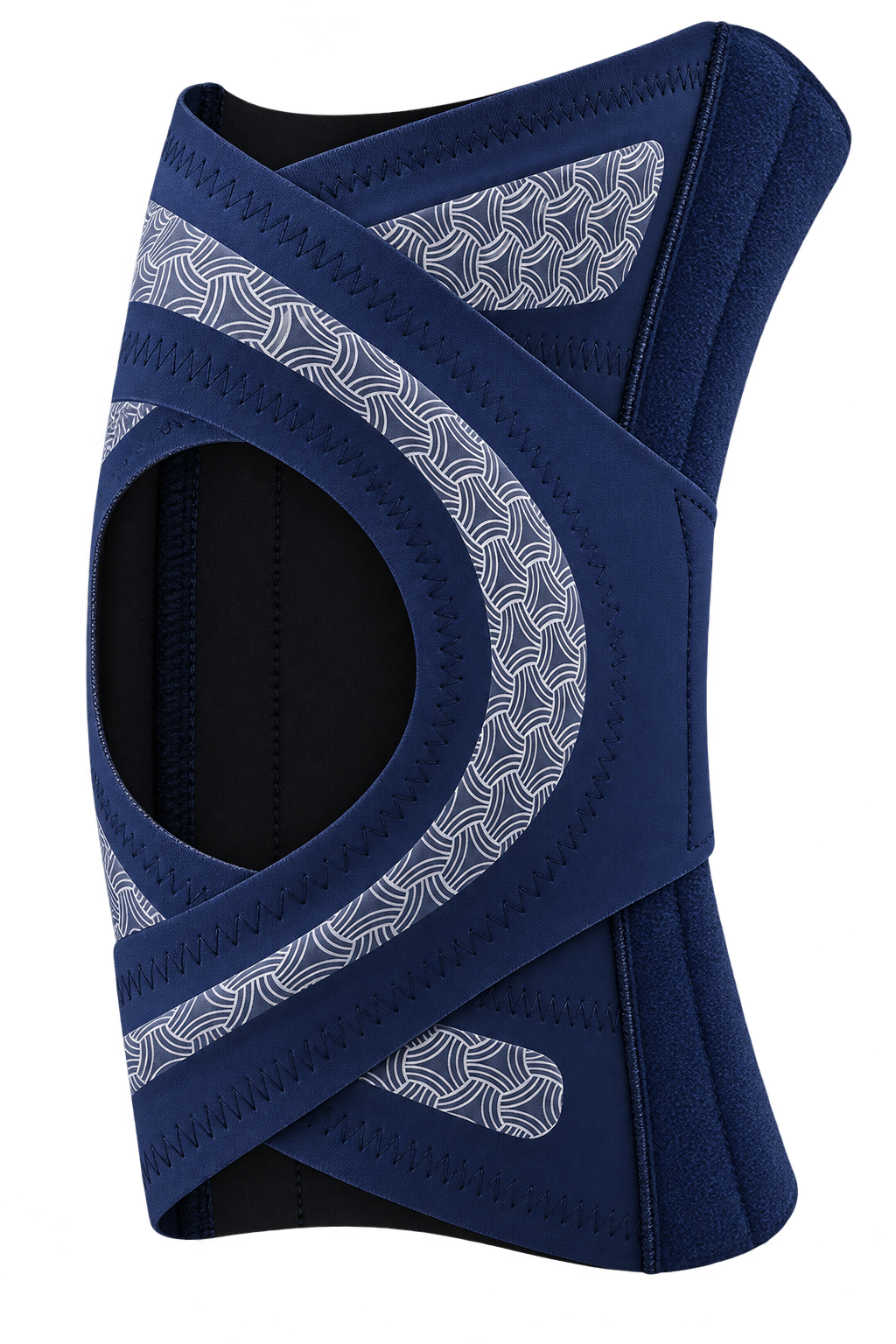
Me gusta porque no es la típica rodillera grande que se nota muchísimo. Es fina, se ajusta bien y puedo mover la pierna con normalidad.
No pensé que acabaría utilizándola tanto, pero ahora siempre la tengo a mano.
Jose Luis N.
-
★★★★★
Creí que no me iban a servir
Tengo que reconocer que al principio no estaba muy convencida de que una rodillera pudiera ayudarme tanto. Pensaba que sería incómoda y que me limitaría bastante al caminar.
Pero después de empezar a utilizar estas, la verdad es que me sorprendieron. Me las pongo para salir a caminar, hacer las tareas de casa o simplemente cuando sé que voy a estar mucho tiempo de pie, y siento las rodillas mucho más sujetas.
Además, son ultrafinas y se ajustan muy bien gracias al sistema cruzado. Para mí, se han convertido en algo que utilizo prácticamente todos los días.
Mary Carmen F.
-
★★★★★
Pensaba que iban a ser incómodas
Yo nunca había querido usar una rodillera porque pensaba que iba a ser súper incómoda y que no iba a poder moverme bien.
Pero vi estas y decidí probarlas porque son bastante finas.
Y la verdad es que me ha gustado mucho cómo quedan. Se ajustan cruzando las bandas y tú misma puedes regular cuánto quieres que aprieten.
Yo me las pongo cuando voy a caminar o cuando sé que voy a estar mucho rato de pie.
Y esa sensación de llevar la rodilla más sujeta me da bastante tranquilidad.
Nancy T.
-
★★★★★
No esperaba notar tanta diferencia
Al principio compré estas rodilleras simplemente para probarlas, porque tenía molestias y sentía que mi rodilla no estaba todo lo estable que debería.
Después de empezar a utilizarlas para caminar y hacer mis cosas normalmente, noté que me sentía mucho más segura al moverme. La sujeción es muy cómoda y no siento que me limite.No esperaba notar tanta diferencia en mi día a día. Para mí, ha sido una de esas compras que realmente ha valido la pena.”
Amando F.
-
★★★★★
Volví a caminar con confianza
Me dijeron que con el tiempo probablemente necesitaría una cirugía de rodilla, y sinceramente eso me preocupó bastante. Empecé a utilizar estas rodilleras cuando salgo a caminar y durante mis actividades del día a día, y la sensación de estabilidad que me dan es increíble.
Mathías Torres
Why choose us? Compare and Decide
|   | KNEVIA | Traditional |
|---|---|---|
Diseño Ultrafino |
||
ENC call system |
||
Complete mobile control |
||
Integrated Display |
||
Magnetic earbuds |
||
Micro SD card |
The touch your daily routine was missing 🌟🎧
✨Combines the best support with the most advanced technology on the market...